

Chrome Incognito and downloading blobs
The problem
I encountered a peculiar bug. When trying to download blobs in Chrome's Incognito mode, the download fails when the file is larger than 2GB. This issue doesn't occur in regular browsing mode, or in Firefox Incognito mode.
To demonstrate the issue I have created a simple frontend + backend application. The backend generates a file of a specified size, and the frontend fetches this file as a blob and attempts to download it. Frontend source code is available here, and the backend source code is available here.
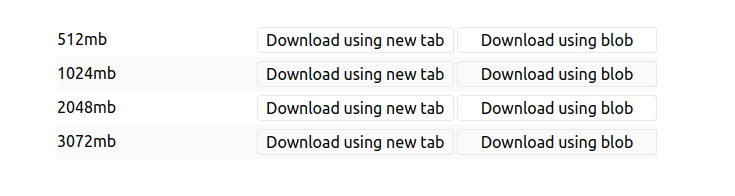
When you run the application and try to download a file smaller than 2GB in Chrome Incognito mode, it works as expected. However, when you attempt to download a file larger than 2GB, the download fails
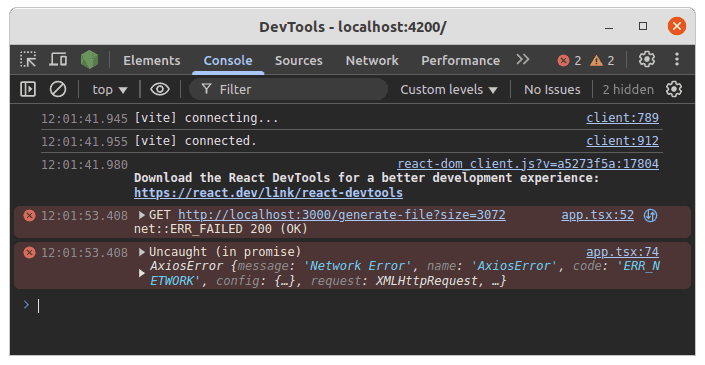
If the backend has a content-size header set, the download will fail immediately with the following error in the console:
GET http://localhost:3000/generate-file?size=3072 net::ERR_FAILED 200 (OK)
If the backend does not have a content-size header set, the download will start, but after downloading 2GB, it will fail.
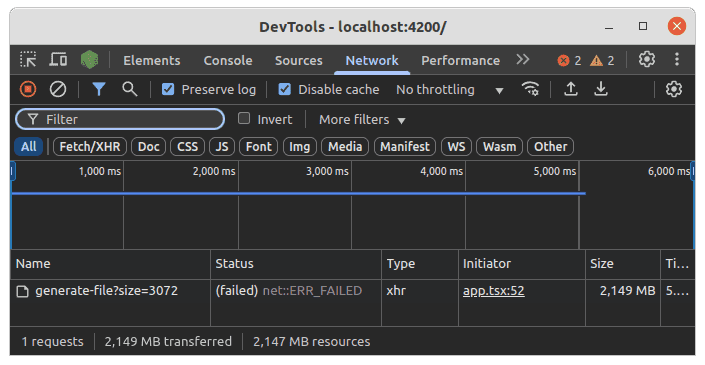
Users can still download smaller files, even after a failed attempt to download a larger one.
This issue seems to be specific to Chrome's Incognito mode. In regular browsing mode, downloading files larger than 2GB works without any issues. Additionally, this problem does not occur in Firefox's Incognito mode, where downloading large files works as expected.
My understanding is that in Incognito mode, Chrome uses in-memory storage for blobs, which might have limitations on the size. You can read more about Disk Cache in Chromium here. However, this does not explain what is the limit for in-memory storage, and why it is 2GB for me.
The fix
If you really need to download large files in Chrome Incognito mode, you can download them using a link pointing to the file URL, instead of using blobs. That's what I did to fix the issue, and it just works. The same approach is used in Google Drive.
The downside of this approach is that you won't be able to handle the downloading on the client side, for example, to show a progress bar, modify the file or handle errors.